Spend less time in your food app.
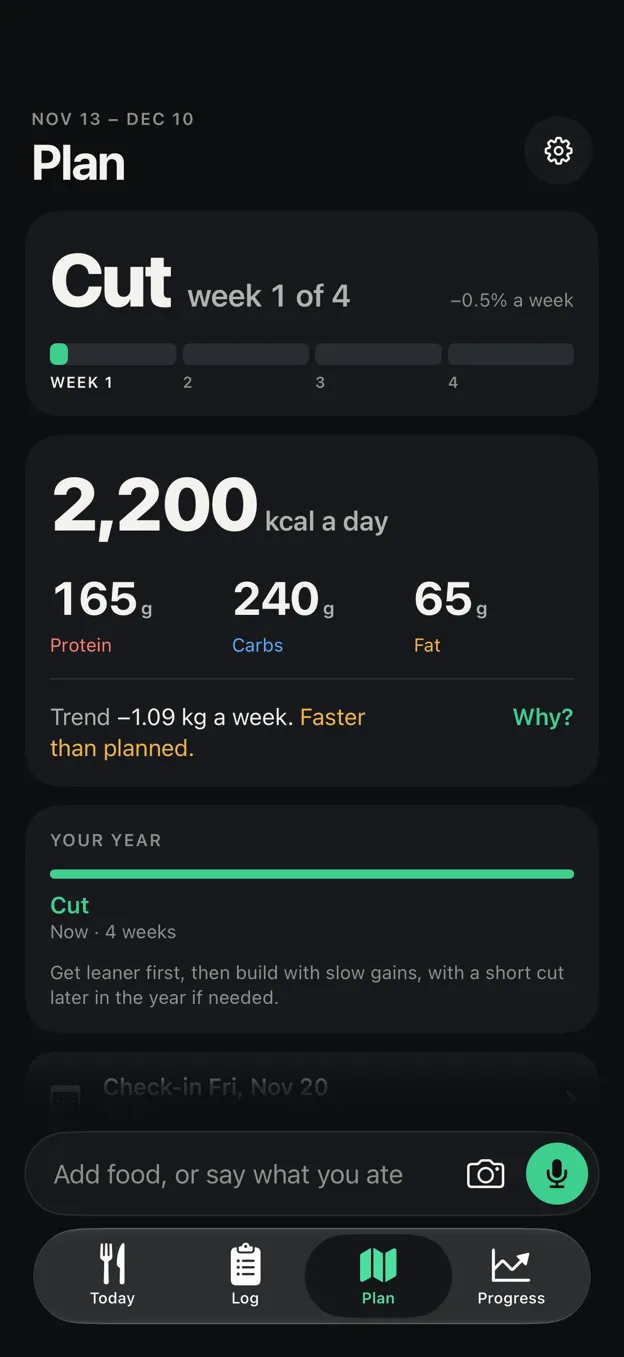
Stadig Macro fits your maintenance to what the scale actually did, picks one phase, and moves your targets a little each week. Logging is a tap, or a few letters and Return.
Free. No account, no ads.
iPhone · iPad · Mac · Apple Vision Pro · Apple Watch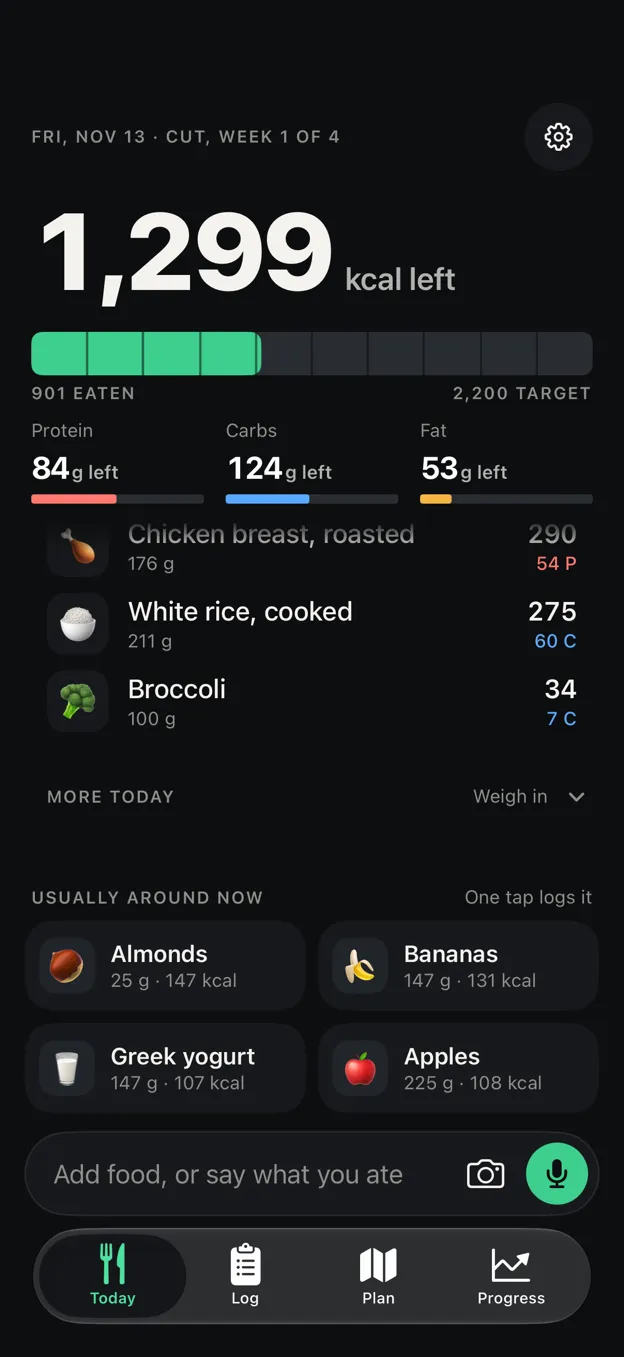
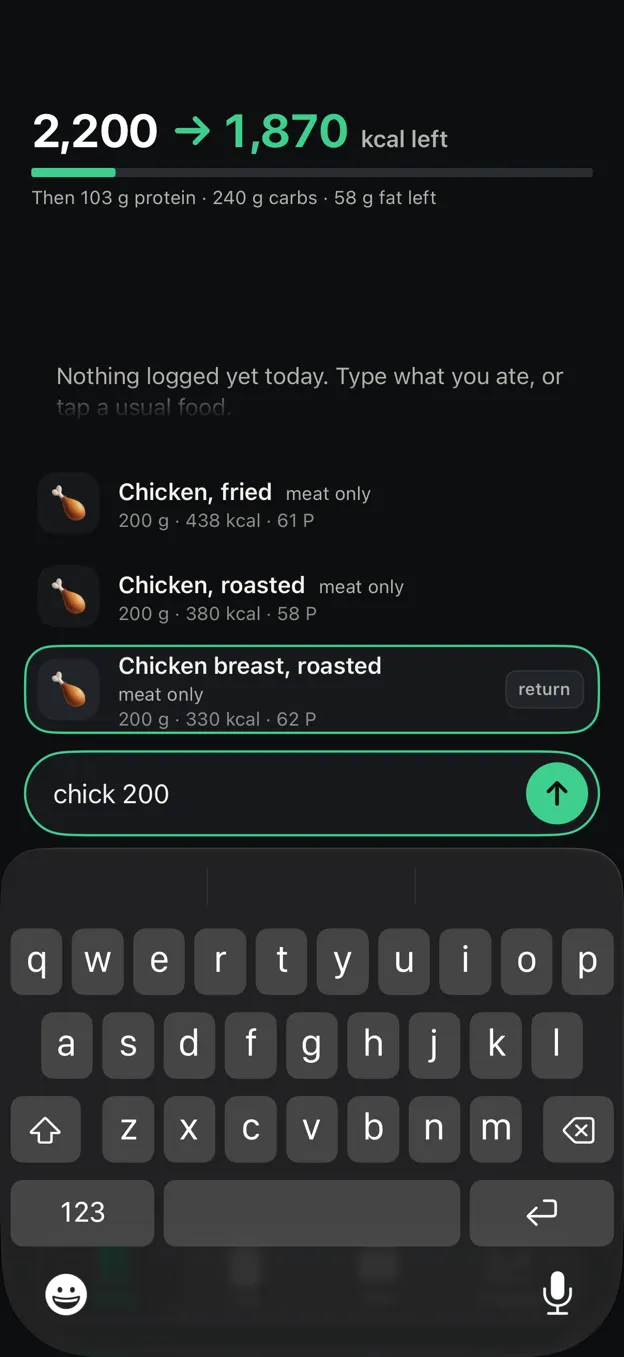
- Usually around now Tap
A food you often eat at this hour, logged at its usual amount.
- Return logs it Type
“chick 200” finds roasted chicken breast at 200 g. A whole line logs every food in it.
- Camera and microphone Scan
A barcode, a label or a photo. Or say what you ate.
You eat. It keeps count.
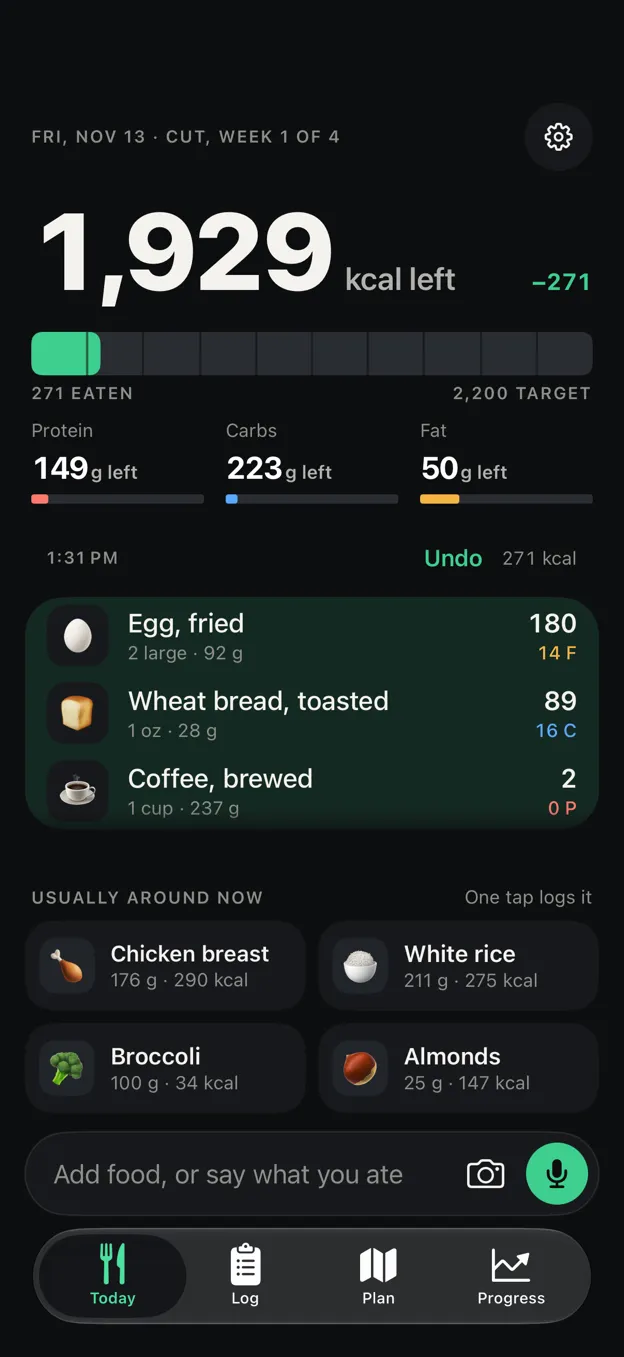
The day is a thread of what you ate, the newest by the box. Tap a food to change its amount in place; a swipe deletes it.
Goes with
Right after a meal, the tiles turn to what you usually eat with it.
What fits tonight
From 5 PM, the foods you usually eat that fit what's left, alone or in pairs you've eaten together, ranked by the protein they cover.
On the wrist
Calories left on a Watch face, and Log Again with the foods you eat around now.
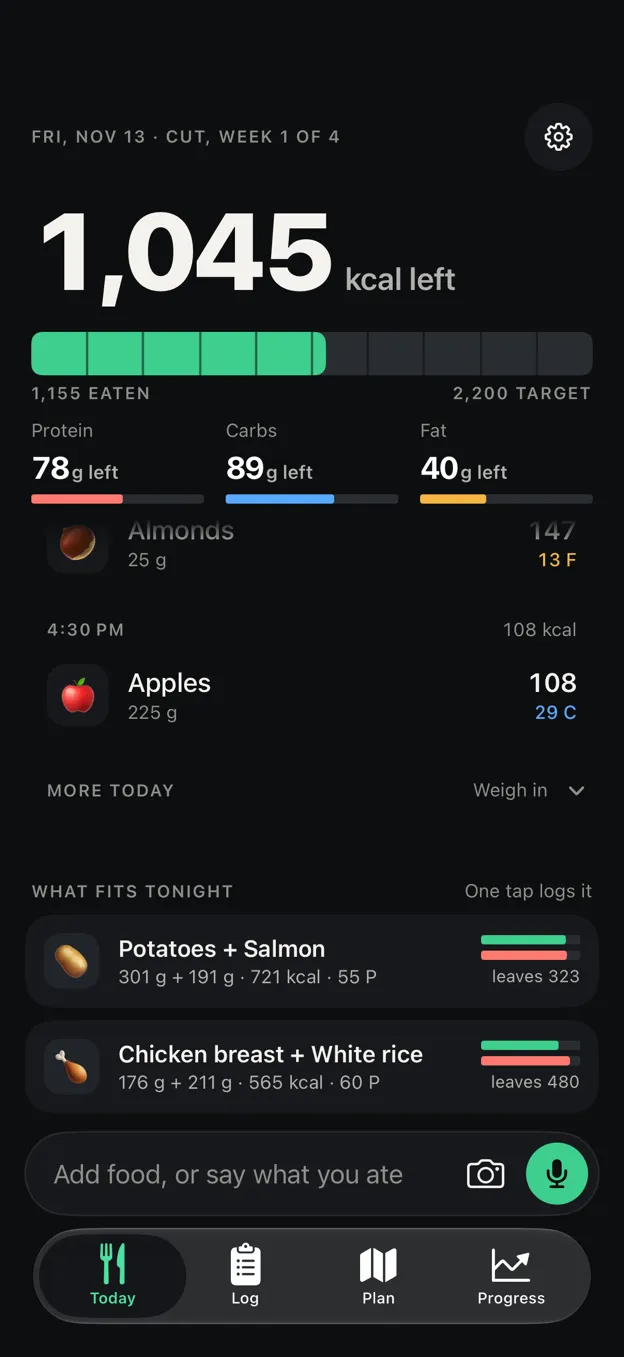
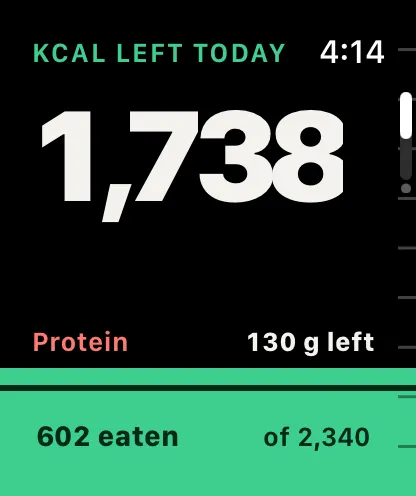
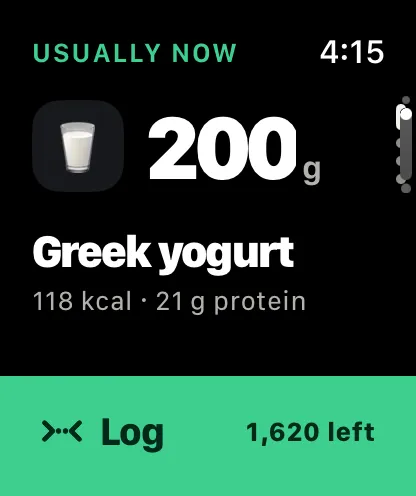
From first open to steady progress.
Log for a couple of weeks
Daily weigh-ins and whatever you eat. Complete days are what count; nothing is judged.
Get an assessment
Maintenance, trend, and one recommended phase with its reasons. You can pick another.
Targets adapt each week
Damped and capped, holding on jumps. In a cut, falling steps are read before calories are.
Never open it if you'd rather not
Siri, Shortcuts, widgets with buttons, the Action Button and Controls all log without the app.
Learns your real maintenance. Picks the phase. Adjusts weekly.
Your maintenance, measured
A smoothed weight trend against mean intake on complete days gives your real maintenance. Weekly check-ins move it a third of the way and cap target changes at 150 kcal, so one bad weigh-in can't swing your week.
One phase, with reasons
Cut, bulk, maintenance, recomp or a diet break. Stadig Macro recommends one and says why, from your trend, your strength standards and how long you've been dieting. Stadig Lift builds its block around the answer.
Live label scanning
Keep the camera on the Nutrition Facts panel. It reads line by line as you pan, so a label too tall for one photo still gets read. Barcodes jump straight to the food.
A photo or a sentence
“Two eggs, toast with butter and a flat white.” Apple's on-device model names the foods and amounts. The nutrients always come from the catalog, never from a guess.
Food quality, not just macros
Ultra-processed share of calories by NOVA group, fermented foods counted by the day, and a week of prep-friendly meals sized to your targets, with the grocery list and a timed prep day.
Supplements, drinks and caffeine
Scan a bottle and its label comes from the NIH database, offline. Doses by time of day, with upper-limit warnings that name the fix. Water, coffee and caffeine with a half-life model, if you want them.
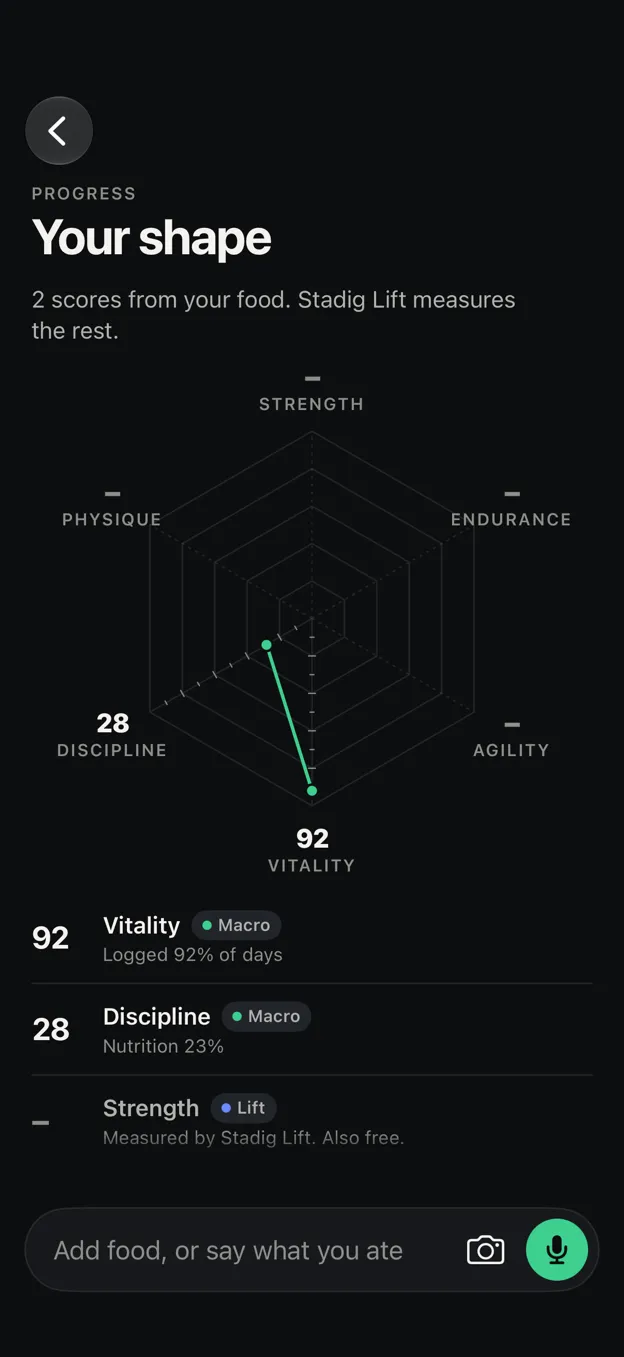
Am I keeping it up?One number answers.
Vitality is the share of days you log. Under your shape: the weight trend, calories against target and maintenance, and food quality.
Stadig Macro measures Vitality and the nutrition half of Discipline. Add Stadig Lift and both apps show all six scores.
Free.All of it.
Stadig Macro is free, all of it: the phase plan, the weekly targets, every way to log.
- Logging
- Barcode and label scans
- Photo and voice
- The assessment
- The phase plan
- Weekly targets
- Meal plans
- Supplements
- CSV export
- Backups
No account. It stays on your devices and in your own iCloud.
iPhone, iPad, Mac and Apple Vision Pro, with an Apple Watch app. iCloud keeps them in step.
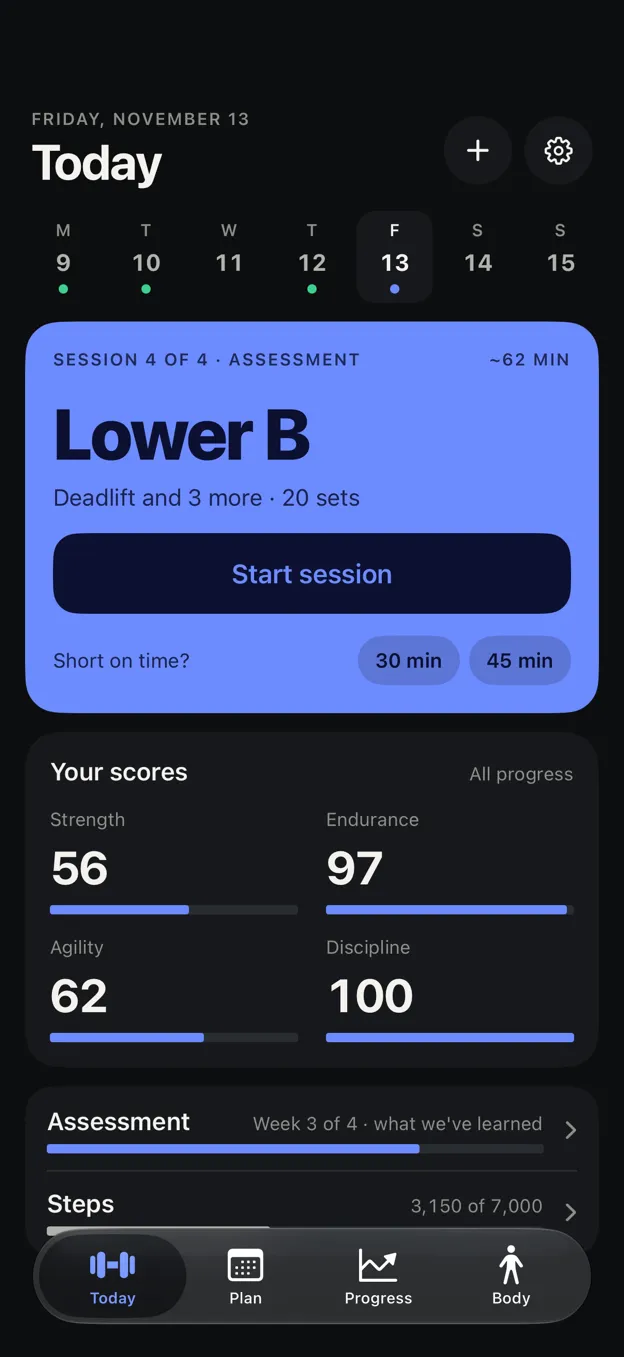
Stadig Lift builds the block around your phase.
Stadig Lift writes your program, sets every weight and adjusts each set to how the last one felt. In a cut it shortens the block and reads a stall as expected.